
Professional Mentalism Tools for Modern Performers
iTHUMP/TOXIC+ combines advanced calculator forcing, remote peeks, messaging, Bluetooth integrations and Apple Watch support into one powerful performance system.
Designed by Australian magician Ian Pidgeon and continuously refined since 2017, the platform is used by professional mentalists worldwide for stage, close-up and virtual performances.
TOXIC+ Calculator Force
Advanced forcing system with remote peeks, custom lists and integrated reveals.
iTHUMP Messaging
Transmit secret vibrations, messages and performance data between devices.
Apple Watch Support
Receive hidden information directly on your watch during performance.
Bluetooth Integrations
Compatible with PeekSmith, earpieces and professional mentalism tools.
Watch TOXIC+ in Action
See some of what the system can do with multiple devices.
SUPPORT EMAIL
If you find any problems or have any suggestions feel free to message me on Facebook Messenger or email me at:
iTHUMP/TOXIC+
iTHUMP comes with TOXIC+. You get two apps for the price of one.
iTHUMP is a powerful THUMPER/REMOTE MESSAGING tool but also acts as a remote display of information entered into TOXIC+.
TOXIC+ is the most powerful TOXIC forcing and information collecting app available.
All information entered into Toxic+ can be transmitted to iThump interface on another iPhone, iPad or Apple Watch as well as spoken to you via a Bluetooth earpiece.
TOXIC+ was originally going to be released as a separate app, but was included with the iThump interface as they complemented each other so well.

TOXIC+
TOXIC+ is included and fully integrated with iTHUMP.
This is Ian's version of the classic TOXIC number force. It has been designed to address all the issues that can be experienced using the classic method.


TOXIC+ allows all input to be stored and peeked both stand-alone and connected to your Apple Watch, iPhone or iPad and can also speak to you via a mini Bluetooth earpiece.
It can derive additional data like star signs, elements, Chinese zodiac, birth day of the week, number of day's since birth and city information from your spectator's input so that the method can be removed from the reveal.
The keypad can be cleared by the spectator and equals can be pressed at anytime without affecting the outcome.
No other app had these features before Toxic+ (unfortunately there are some copycats).
- It has multiple force selection so you can repeat the effect immediately with different numbers and different fields.
- You can collect multiple birthdays during the same session.
- It handles long numbers, decimals and numbers with leading zeros.
- You can import your own graphics to make the keypad look exactly the way you need it to both portrait and horizontal.
- Fully integrated with iTHUMP interface so you can end the effect without even touching or looking at the calculator screen.
- You can set the force number remotely using iTHUMP while the iPhone is in your spectator's hand.
- You can set up custom lists so the result of the calculation and all items selected can be relayed to you.
- Designed to work on Apple Watch, iPhone, iPad and iPod touch.
- Speaks to you via a mini Bluetooth earpiece so you can be completely hands free.
For Full Instructions for TOXIC+ and all its features: Visit the TOXIC+ website.
iPhone and iPad Connection
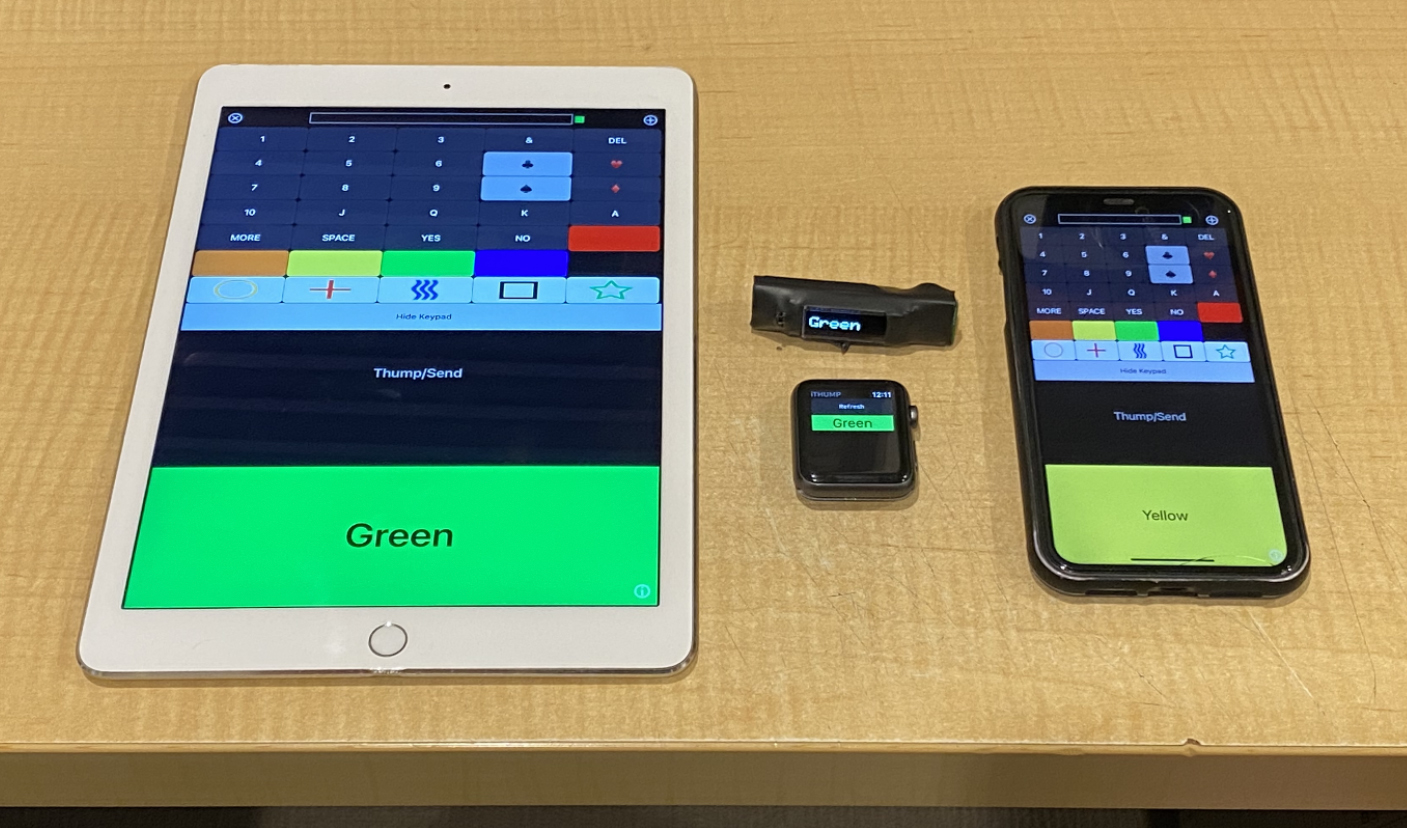
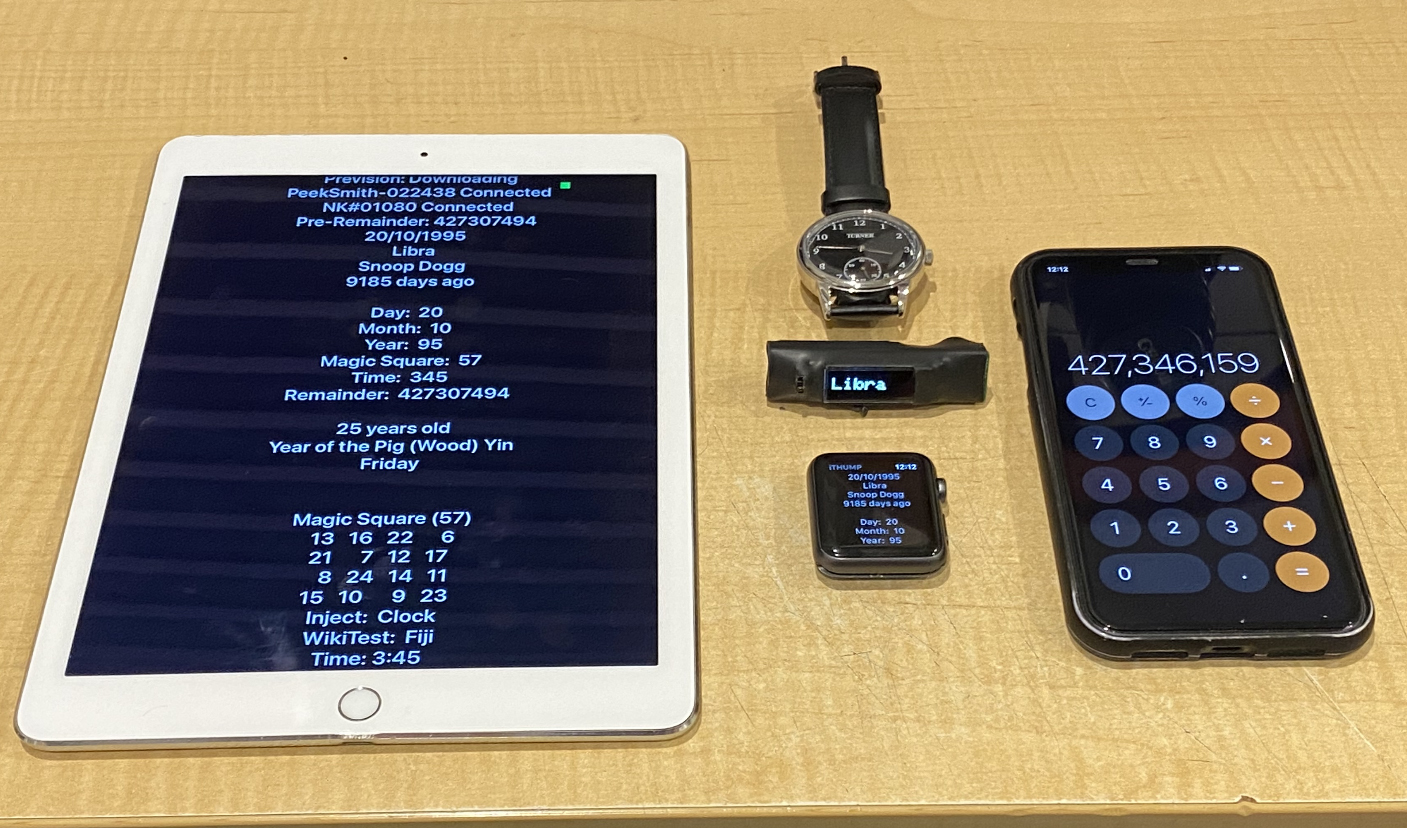
Allows you to send messages, thumps and Toxic+ data between two iOS devices.
- Make sure both devices have different device names.
- Ensure the iThump Connection Password is the same on both devices.
- Since iOS11, Multipeer Connectivity works via WiFi only.
- Since iOS14, ensure Local Network permissions are enabled.
- Open iTHUMP on both devices and they will automatically connect.
iPhone and Apple Watch


Allows you to send messages, thumps and Toxic+ data between your iPhone and your Apple Watch.
- Wake on Wrist Raise - ON
- Wake on Crown Rotation - ON
- Wake Duration - 70 Seconds
- Silent Mode - ON
- Haptic Strength - MAX
Transmit Secret Information


The idea of using a thumper is to transmit vibrations and/or other information secretly from an accomplice to you during magic performances.
You can place an iPad facing you at the front of the stage, put an iPhone in your pocket or between your belt and your body.
Sending Thumps (Vibrations)
Press the “Thump/Send” button once for each thump.
Bluetooth Remote
If you have a bluetooth camera shutter remote, you can trigger the vibration remotely.
Volume Buttons
You can transmit thumps by pressing the hardware volume buttons.
Sending Messages


Press any of the preset keys to create a message then press “Thump/Send”.
- Numbers: Send 1-10 as vibration counts.
- Cards: Send playing cards and multiple card combinations.
- Colours: Send colour-based cues.
- Zener Cards: Send ESP symbols.
One Off Messages
Click the text box to type any custom message.
Remote Adhoc Force Number
Prefix the force number with a # symbol. Example: #12345678
Custom Messages

If you click the “MORE” key the custom message list will be displayed.
These messages will be saved for future use.
To delete a row swipe left then press delete.
Blank Screen Mode
Hide the keypad so only incoming messages are visible.
Toxic+ Peek Screens


If connected to another device running TOXIC+, iThump will display the information as it's entered.


iThump Settings Screen
- Reset Defaults
- Vibrations On
- Text to Speech (Sender)
- Text to Speech (Receiver)
- Hide Peek Screen on Clear
- Customise keypad button values and colours
- Font Sizes
- Vibration Delay
- Custom List Modifier
- Adhoc Force Modifier
- PeekSmith 2.0 Vibration
Custom Lists


You can enter up to 20 custom lists with no limit to the information.
Book Test
Use custom lists for book tests, menu systems and memory demonstrations.
Remote Swipe Controller

The Clock Swipe Controller allows remote swiping of force numbers into TOXIC+.
Useful for nail writing routines and hidden real-time calculator reveals.
Custom List Number Lookup Screen


Access the fake PIN Entry style lookup screen from the MORE menu.
Custom List Text Lookup Screen


Search custom lists and send results directly to Apple Watch, iTHUMP or Bluetooth earpieces.
- Countries lookup mode
- Capitals lookup mode
- Day of Week calculator mode
- US Zip Code lookup mode
- Australian Zip Code lookup mode